Available for freelance work

I automate the boring parts of running a business.

I'm Luka, a Python developer in Slovenia. I write scripts and scrapers that handle the repetitive parts of your work, and I build websites for small businesses that load fast on a phone.

~/jobs · cron

Jobs like these run on a schedule while you do something else.

Tools I built because doing it by hand got old.

The first three I still use. Below them are smaller tools and a couple of experiments, and the code for all of it is public.

Job search automation

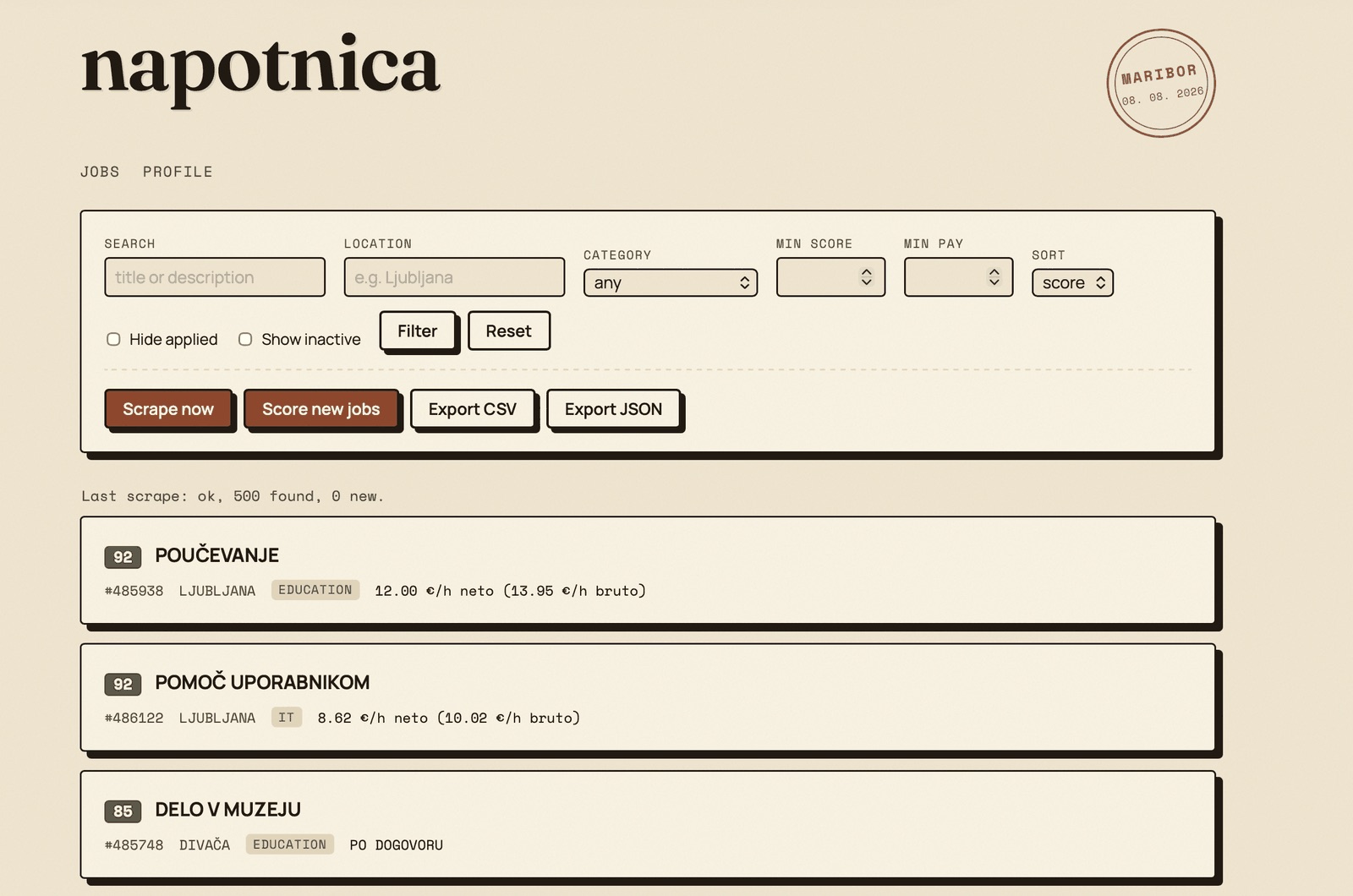
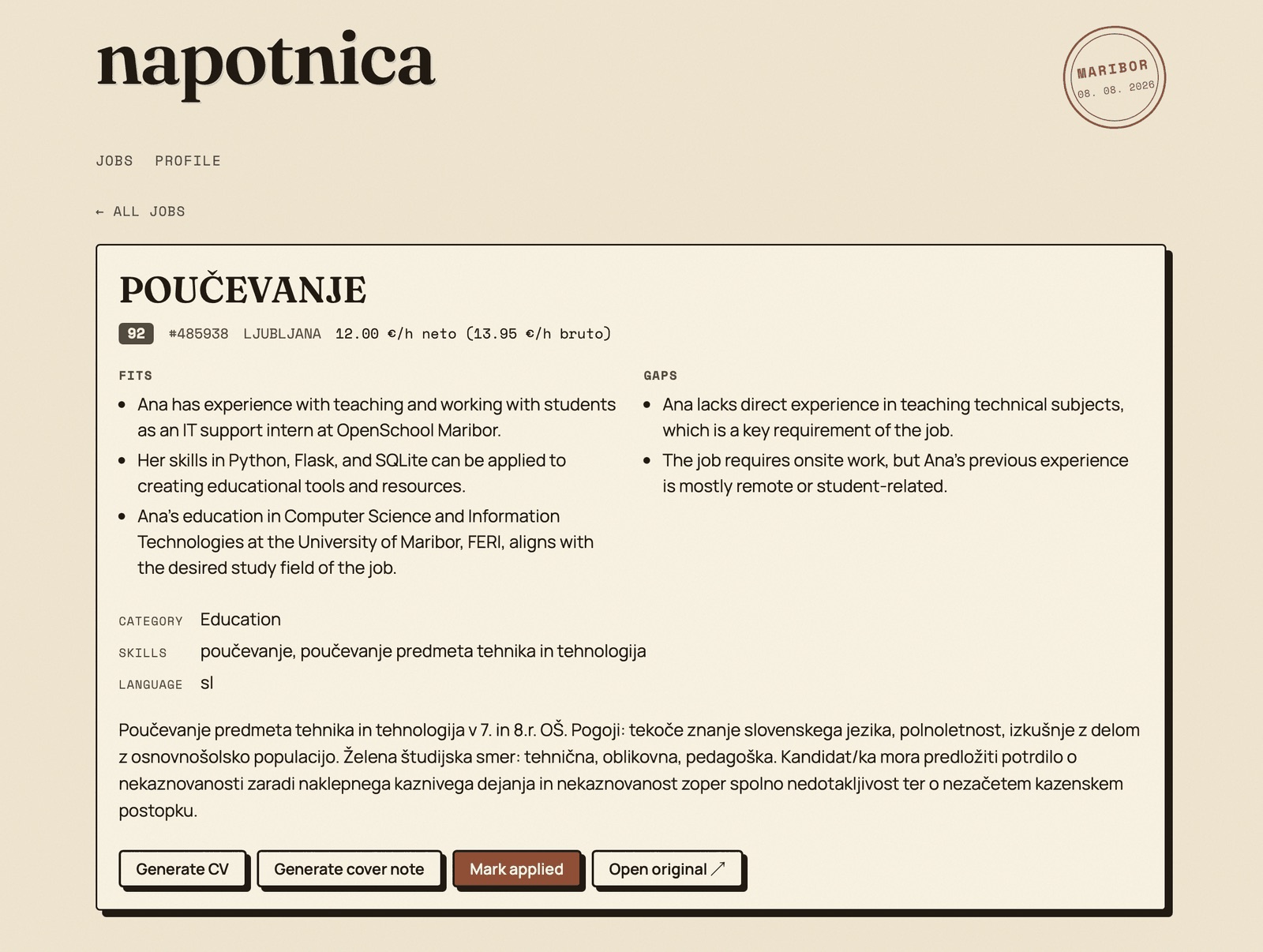
napotnica

Pulls student job ads, ranks them against my profile and writes a tailored CV for the ones worth applying to.

Problem
Finding student work meant scrolling a few hundred ads on studentski-servis.com and rewriting a CV for every application.
What I built
A local scraper that stores every listing in SQLite, scores each one with an LLM that has to explain its score, and prints a CV and cover note to PDF.
Outcome
Now I read a short list sorted by fit, with net and gross pay next to each other, instead of hundreds of ads.
  • Python
  • Flask
  • Playwright
  • SQLite
  • Groq
napotnica on GitHub

Training dashboard

Loadout

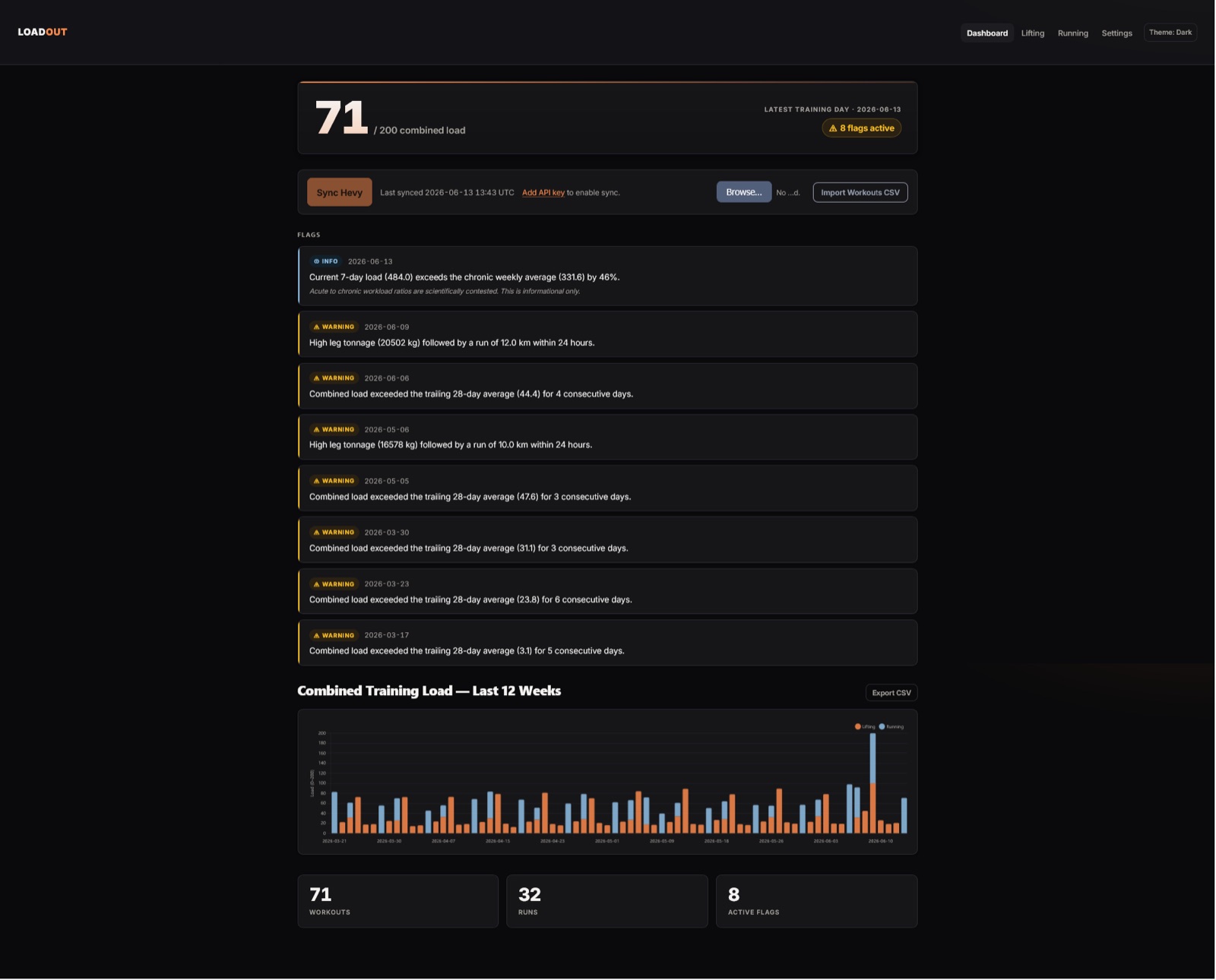
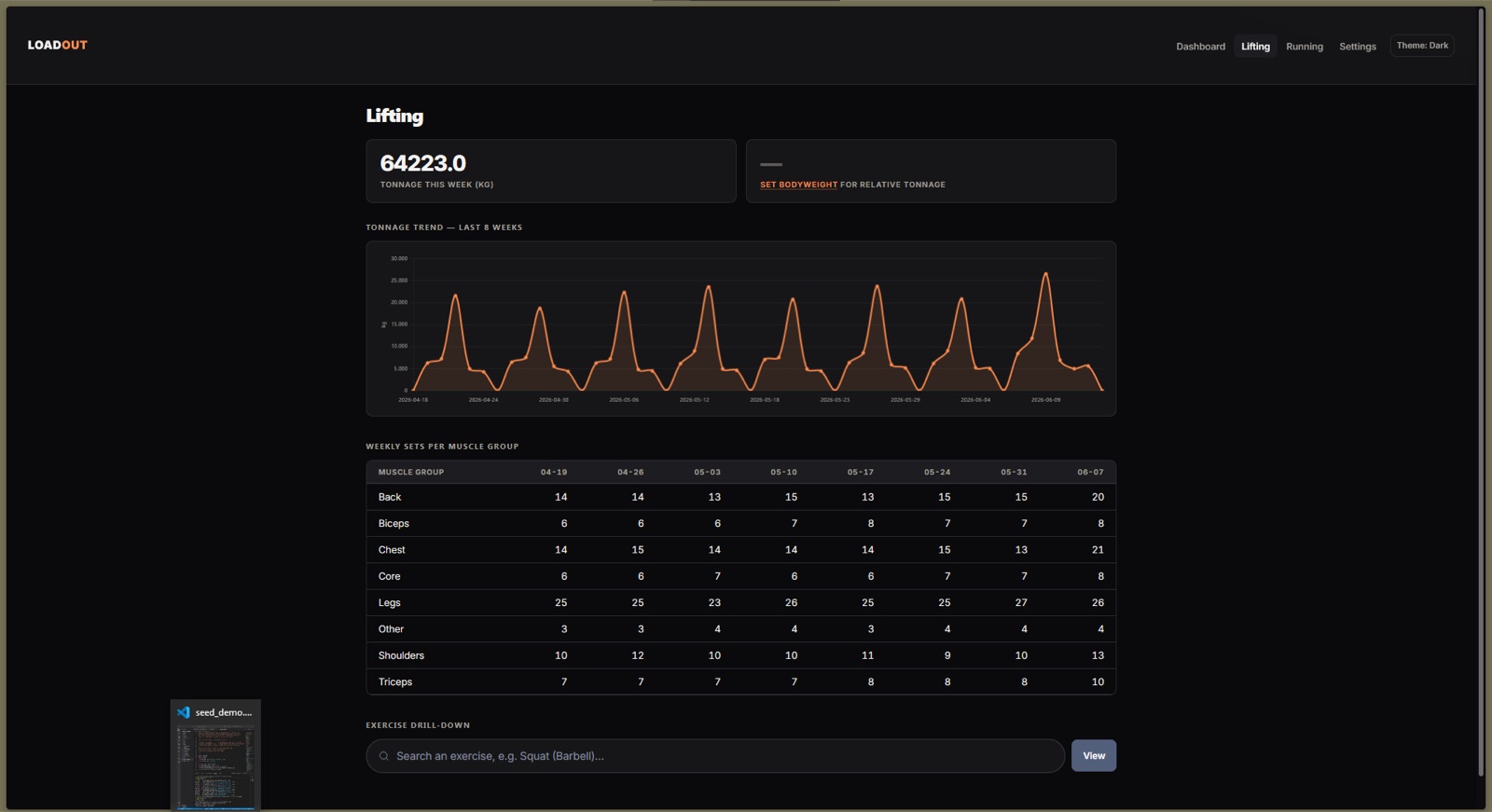
One dashboard for my lifting and my runs, so I can see how hard a week really was.

Problem
Hevy knew about my lifting, my watch knew about my runs, and nothing showed how hard a week was across both.
What I built
A self-hosted Flask app that syncs workouts from the Hevy API, reads the GPX and FIT files from my watch, and turns both into one load score.
Outcome
A 12-week chart that warns me about bad combinations, like a heavy leg day and a 12 km run within 24 hours.
  • Python
  • Flask
  • SQLite
  • Chart.js
  • Hevy API
Loadout on GitHub

Desktop app

Folio PDF

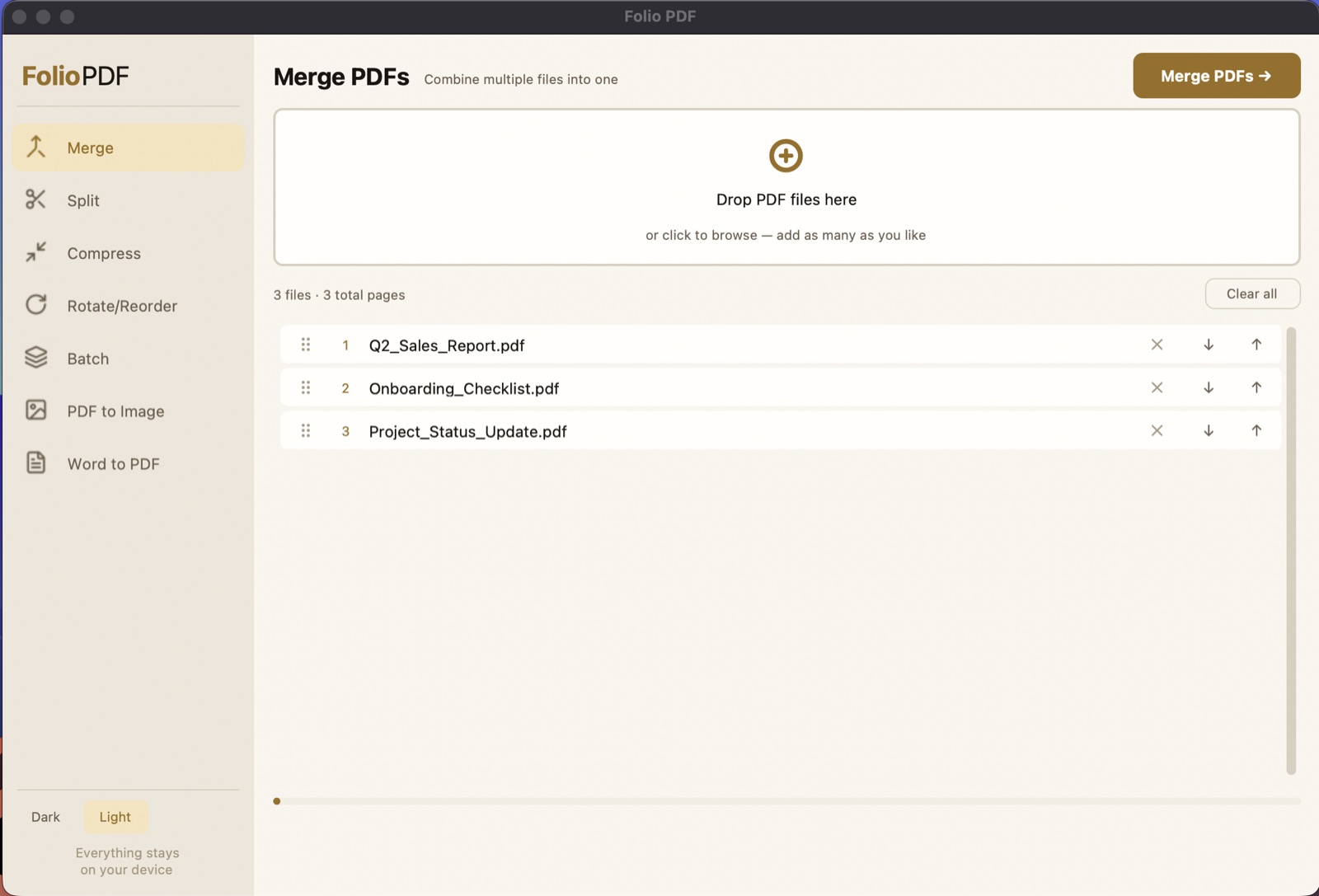
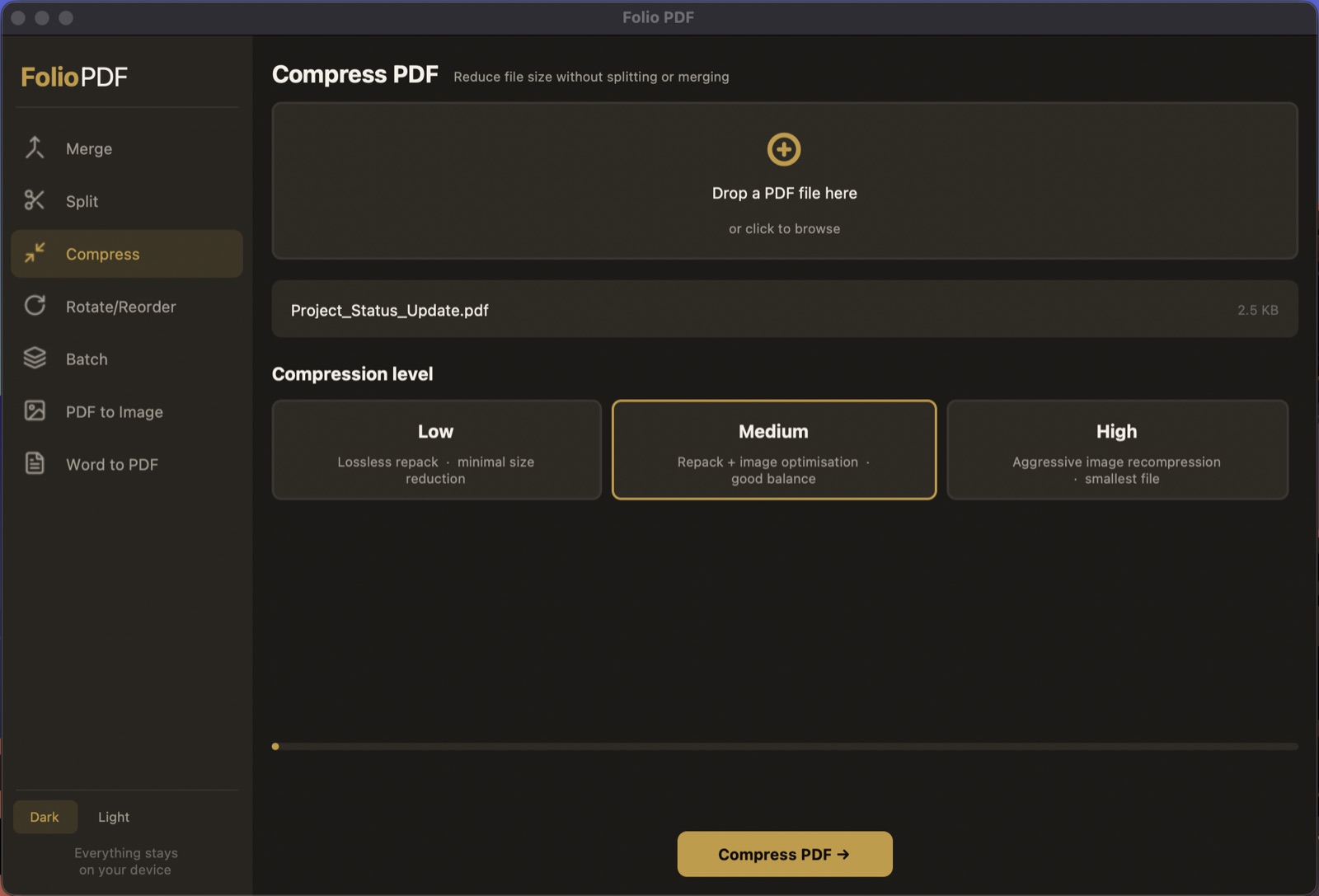
Merge, split, compress and batch-process PDFs without uploading them anywhere.

Problem
Merging two PDFs meant uploading private documents to whichever website showed up first.
What I built
A Python desktop app with a drag-and-drop page grid, batch jobs for whole folders, and Word to PDF that runs through Word itself, so the layout doesn't shift.
Outcome
My documents stay on my own computer. I built it on macOS, and it runs on Windows too, with less testing there.
  • Python
  • CustomTkinter
  • PyMuPDF
  • pypdf
Folio PDF on GitHub

Smaller tools, and two experiments that didn't work

Who you'd be working with

Almost everything on this page started as something I was sick of doing by hand. I built a tool for it, used it for a while, and kept whatever stuck.

Client work goes the same way, and it's usually small: a script that runs every morning, or a scraper that fills in the spreadsheet you used to update yourself. I'll explain it in plain language, and if a job isn't worth automating, I'll tell you before you pay for anything.

If you're hiring, it's all on GitHub, failed experiments included.

Illustration of Luka working on a laptop, with his black and white dog resting beside him
Based in
Slovenia
Languages
Slovenian, English
Focus
Automation, scrapers, internal tools, websites

Toolbox

  • Scraping and automation

    Python, Playwright, requests, SQLite, SQLAlchemy

    Used in napotnica, Polymarket AI

  • Web and mobile apps

    Flask, Jinja2, Chart.js, Next.js, Capacitor

    Used in Loadout, Rye, this site

  • Documents and desktop

    PyMuPDF, pypdf, fpdf2, CustomTkinter

    Used in Folio PDF, Hevy exporter

  • Data and AI

    XGBoost, VADER, Groq, Claude API

    Used in napotnica, Polymarket AI, CryptoBot

What I can take off your hands.

Most of the jobs I take on are small and specific, and you know the price before I start.

How a project goes

  1. You show me the task

    We have a short call or swap a few emails, and you walk me through how the job gets done today.

  2. I send a fixed quote

    It says what I'll build, what it costs and when it'll be ready. Nothing starts until you're happy with it.

  3. We build it in small steps

    You try working pieces early, so if I've misunderstood something, we catch it while it's cheap to fix.

  4. You get the code

    You also get a short guide for running it. Nothing is tied to my accounts, so another developer can pick it up later.

  • Automation

    Copying numbers into the same spreadsheet every Monday, or renaming invoices one at a time. I turn chores like that into a script, or a job that runs on its own.

    • Reports to PDF/Excel
    • Syncing between tools
    • Email and file workflows
  • Web scraping and data

    If the data is on a public website, like prices, listings or a competitor's catalogue, I can collect it on a schedule and put it in a spreadsheet or inbox you already use.

    • Price monitoring
    • Lead lists
    • Listing alerts
  • Internal tools and dashboards

    Small web apps for one team or one job. Your data sits in one place, and the numbers you check every day are on the first screen.

    • Flask + SQLite apps
    • Admin panels
    • KPI dashboards
  • Websites for small businesses

    Simple sites that work well on a phone and have the basics in place so people nearby can find you. Hosting costs next to nothing.

    • Business sites
    • Contact and booking forms
    • Hosting on Cloudflare

Send me the task you repeat every week, and I'll tell you whether it's worth automating.

You don't need a brief. A few sentences is plenty.

Useful to include

  • What the task is and how often you do it
  • Which tools or files it touches, like Excel, a web shop or email
  • Roughly how long it takes you now
  • Any deadline you're working to

Pišem tudi v slovenščini.